Optimizing IT Equipment Cleaning Frequency for Better Reliability
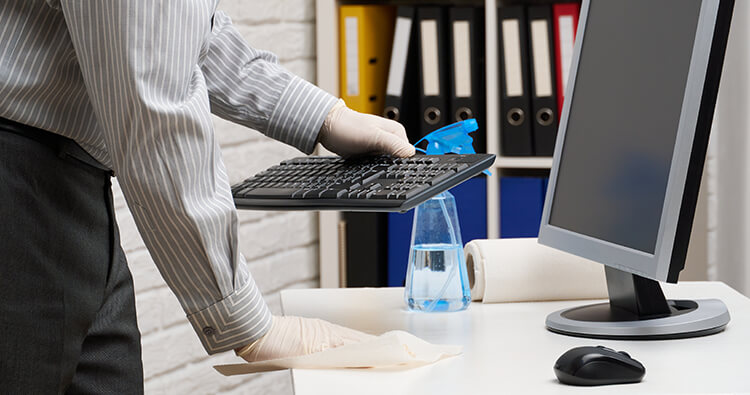
Determining the right IT equipment cleaning frequency is essential for maintaining reliable operations, reducing hardware failures, and extending the lifespan of critical technology assets. Rather than following a fixed schedule, organizations should optimize cleaning intervals based on environmental conditions, equipment usage, and operational demands. A IT Equipment Cleaning customized cleaning plan guarantees that workstations, servers, networking equipment, and storage systems are free of impurities and dust that can impair performance.
Assess Your Operating Environment
The first step in optimizing cleaning frequency is evaluating the environment where IT equipment operates. Facilities with high levels of airborne dust, construction activity, manufacturing processes, or frequent foot traffic typically require more frequent cleaning than controlled office environments. Data centers with advanced air filtration and strict environmental controls may be able to extend cleaning intervals while maintaining equipment reliability.

Monitor Dust Accumulation
Regular inspections help determine whether the current cleaning schedule is sufficient. Check server racks, ventilation grilles, cooling fans, air filters, cable trays, and network cabinets for visible dust buildup. Excessive dust indicates that cleaning intervals should be shortened to prevent airflow restrictions and overheating.
Prioritize Critical Equipment
Not every piece of IT equipment needs to be cleaned every so often. Mission-critical systems such as servers, storage arrays, core network switches, and UPS units should receive higher priority because failures can significantly disrupt business operations. Less critical devices, such as office desktops and peripheral equipment, can often be cleaned less frequently.
Align Cleaning with Preventive Maintenance
Combining equipment cleaning with scheduled preventive maintenance improves efficiency and reduces operational interruptions. During maintenance windows, technicians can inspect cooling systems, verify airflow, check cable organization, replace air filters, and clean internal and external components using ESD-safe methods.
Optimize Cooling Performance
Clean equipment operates more efficiently because unobstructed airflow allows cooling systems to maintain proper operating temperatures. Lower operating temperatures reduce stress on processors, power supplies, memory modules, and storage devices, leading to greater reliability and fewer unexpected failures.
Use Environmental Monitoring
Environmental monitoring systems provide valuable insights that can help optimize cleaning frequency. Monitoring temperature, humidity, airborne particle levels, and airflow performance enables IT teams to identify contamination issues before they affect equipment performance. Data-driven maintenance schedules are often more effective than fixed calendar-based cleaning routines.
Maintain HVAC and Air Filtration Systems
An optimized cleaning strategy extends beyond the equipment itself. HVAC systems and air filtration units play a crucial role in minimizing airborne contaminants.Dust buildup is minimized and the frequency of equipment cleaning is decreased by routinely changing air filters and ensuring enough airflow throughout the server room.
Follow ESD-Safe Cleaning Procedures
Always clean sensitive electronic components with tools and methods that are safe from electrostatic discharge (ESD).Soft brushes, lint-free microfiber cloths, compressed air made specifically for electronics, and anti-static vacuums all aid in the removal of impurities without endangering fragile circuitry. Avoid household cleaning products or standard vacuum cleaners, which may introduce static electricity or leave harmful residues.
Track Maintenance Metrics
Organizations should measure the effectiveness of their cleaning program by monitoring key performance indicators, including:
- Equipment failure rates
- Average operating temperatures
- Cooling efficiency
- Energy consumption
- Downtime incidents
- Maintenance costs
- Hardware lifespan
Analyzing these metrics helps refine cleaning schedules and ensures maintenance resources are allocated effectively.
Benefits of an Optimized Cleaning Frequency
A well-thought-out cleaning routine has the following long-term benefits:
- Improves system reliability and uptime
- Reduces overheating and thermal stress
- Extends the lifespan of IT equipment
- Lowers maintenance and replacement costs
- Enhances cooling efficiency
- Reduces energy consumption
- Supports business continuity
- Improves return on IT infrastructure investments
Best Practice Recommendation
Instead of relying on a universal IT Equipment Cleaning schedule, organizations should adopt a risk-based approach. High-density data centers, industrial facilities, and mission-critical environments often benefit from quarterly or even monthly inspections, while standard office environments may only require semiannual or annual cleaning. Regular assessments and environmental monitoring allow businesses to adjust cleaning frequency as operating conditions change, ensuring optimal equipment reliability while minimizing unnecessary maintenance costs.




Post Comment