AI Companion Continuity: How to Test Memory, Privacy, and Personalization
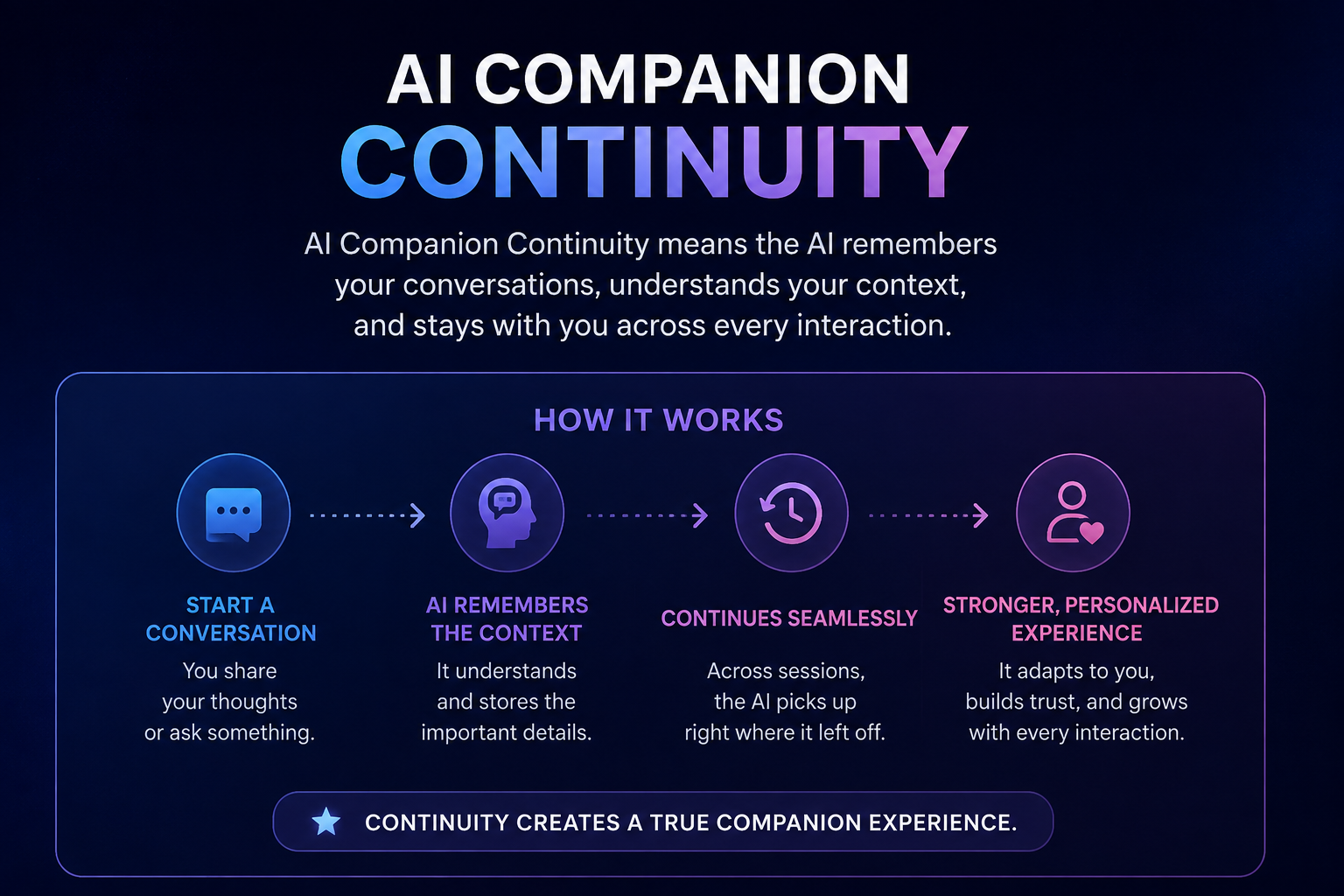
AI Companion Continuity are becoming more sophisticated at remembering conversations, adapting to user preferences, and maintaining a consistent personality over time. Instead of starting every conversation from zero, modern AI companion platforms increasingly aim to create a continuous experience where previous interactions influence future responses.
This capability is known as AI Companion Continuity. However, a convincing first conversation does not necessarily mean an AI companion has reliable long-term memory, strong personalization, or trustworthy privacy controls.
To properly evaluate an AI companion, users need to test what the system remembers, how accurately it remembers information, whether it respects corrections and boundaries, and how much control users have over stored data.
What Is AI Companion Continuity?
AI Companion Continuity refers to an AI system’s ability to maintain relevant information and behavioral consistency across multiple conversations and sessions.
For example, a companion may remember a fictional user’s preferred communication style, an ongoing project, a favorite topic, or a previously established conversational preference.
Continuity is different from simply keeping the current chat open. A system can remember information within a single conversation because that information is still part of the active context. True continuity becomes more meaningful when the user starts a new session and the AI can still retrieve appropriate information.
A useful continuity system should therefore demonstrate:
- Reliable memory across sessions
- Accurate recall of important information
- Ability to correct outdated information
- Consistent personalization
- Respect for established boundaries
- Transparent memory controls
- Appropriate privacy and deletion options
Research into AI companions increasingly treats persistent memory as an important but complex design feature because the same information that improves personalization can also introduce privacy and safety risks.

Why AI Companion Continuity Matters
Without continuity, users may need to repeat the same information every time they interact with an AI companion.
For example, imagine telling an AI companion that a fictional character prefers short answers, enjoys discussing technology, and is working on a specific project. If the system remembers those details during future conversations, interactions can become more consistent.
Continuity can improve:
- User experience
- Personalization
- Conversation efficiency
- Character consistency
- Long-term interaction
- Contextual responses
However, remembering everything is not automatically a positive feature. An AI companion should remember information that is useful while also giving users meaningful control over what is stored and how it is used.
That creates an important balance between continuity and privacy.
How to Test AI Companion Memory
Memory is one of the most important parts of AI Companion Continuity.
A simple demonstration is not enough. Instead, users should perform structured tests across multiple sessions.
1. Test Stable Facts
Create a fictional adult test character and provide several stable facts.
For example:
- Occupation
- Favorite movie
- Favorite technology
- Fictional city
- Favorite communication style
- Fictional upcoming event
After ending the conversation, start a new session and ask questions related to these facts.
The goal is to determine whether the AI can recall information without being explicitly reminded.
2. Test Long-Term Memory
Short-term recall can create the impression that an AI has excellent memory.
A better test involves time gaps.
Ask the AI to remember a fictional detail, close the conversation, wait, and then return later.
Repeat the test after different intervals.
This helps distinguish ordinary conversation context from persistent memory.
Some current AI companion evaluation frameworks recommend testing continuity across longer conversations and using multiple checkpoints rather than relying on a single successful interaction.
3. Test Memory Accuracy
Remembering information is only useful when the information is correct.
Suppose you give a fictional character a specific birthday. Later, ask the AI about it.
Record whether the system:
- Gives the correct answer
- Gives an approximate answer
- Contradicts the original information
- Says it does not remember
- Confidently invents a different answer
An invented answer should not receive full credit simply because it sounds convincing.
4. Test Memory Corrections
Memory should be changeable when information becomes outdated.
For example:
“The character previously preferred short responses, but now prefers detailed explanations.”
Later, test which preference the AI follows.
A reliable AI companion should be able to incorporate legitimate corrections rather than repeatedly returning to outdated information.
How to Test Personalization
Personalization is closely connected to memory, but the two concepts are not identical.
Memory concerns what the system retains. Personalization concerns how that retained information changes future interactions.
To test personalization, create several fictional preferences and then start separate conversations.
Test whether the AI changes its responses according to those preferences.
For example, test:
- Response length
- Conversation style
- Preferred topics
- Character preferences
- Writing style
- Ongoing interests
If the system remembers a preference but never uses it, its personalization may be weak.
Recent research also suggests that personalization itself can create new safety challenges. Long-term personal context may influence how an AI interprets later requests, meaning personalization should be evaluated for both usefulness and unintended behavior.
Test Privacy Before Sharing Real Information
Users should avoid testing an AI companion with real passwords, financial information, private documents, or highly sensitive personal information.
Instead, use synthetic information.
For example, create a fictional character with:
- An invented name
- A fictional job
- Fake preferences
- An imaginary schedule
- Synthetic conversation history
This provides enough information to test memory without unnecessarily exposing real personal data.
AI companion research has identified privacy concerns involving conversation records, profile information, data transmission, and other stored artifacts, making controlled testing particularly important.
What Privacy Controls Should You Test?
A privacy evaluation should go beyond reading a “Your data is private” statement.
Check what the platform actually allows users to do.
Important questions include:
- What information is collected?
- Is conversation history stored?
- Are images or voice recordings stored?
- Can users view saved memories?
- Can users edit memories?
- Can users delete individual memories?
- Can users delete conversations?
- Can users delete generated media?
- Can users delete their entire account?
- How long is information retained?
- Is data used for training or other purposes?
These questions help turn privacy from a marketing claim into a practical test.
Test Memory Deletion
Deletion is one of the most useful privacy tests.
First, create a fictional memory and verify that the AI can recall it.
Next, delete that memory using the available account controls.
Then start another conversation and ask about the same information.
Record the result.
A strong test should distinguish between:
“The memory is no longer visible to my account.”
and:
“The company’s backend has completely erased every copy of the information.”
The first can potentially be observed by a normal user. The second generally requires technical or independent verification.
Therefore, reviewers should avoid making stronger claims than their evidence supports.
Test Boundaries Across Conversations
Continuity should include more than facts and preferences.
It should also include established conversational boundaries.
Create a fictional adult test character and establish clear, harmless boundaries. Later, test those boundaries through different conversations or contexts.
For example:
- Establish a boundary.
- Confirm that the AI understands it.
- End the conversation.
- Start a new session.
- Revisit the subject using different wording.
- Check whether the boundary remains consistent.
This can reveal whether the system actually preserves important instructions or simply follows them temporarily.
Current AI companion evaluation approaches increasingly recommend testing boundaries across multi-turn and changing contexts rather than evaluating safety through isolated prompts.
Test Visual Continuity
Some AI companions also generate images or video.
In these systems, continuity can involve visual identity.
Test whether the same fictional adult character maintains:
- Facial characteristics
- Hairstyle
- Eye appearance
- Clothing details
- Accessories
- Overall character identity
For image generation, change one variable at a time, such as background, lighting, camera angle, or pose.
For video, examine different points in the clip rather than only the opening frame.
An AI-generated character may look consistent at the beginning but experience identity drift later.
A structured test should therefore record the first noticeable change instead of judging the entire video from one screenshot.
Create an AI Companion Continuity Score
A simple scoring system can make your evaluation easier to understand.
Use a score from 0 to 2 for each category:
| Test Category | Score |
| Short-term memory | 0–2 |
| Long-term memory | 0–2 |
| Memory accuracy | 0–2 |
| Memory correction | 0–2 |
| Personalization | 0–2 |
| Privacy controls | 0–2 |
| Memory deletion | 0–2 |
| Boundary continuity | 0–2 |
| Visual continuity | 0–2 |
Scoring
0 — Failed: The system consistently fails the test.
1 — Partial: The system succeeds inconsistently or requires prompting.
2 — Strong: The system performs the task consistently without unnecessary prompting.
Keeping the categories separate is important. A platform with excellent memory but weak deletion controls should not receive the same evaluation as one that performs well in both areas.
Test More Than Once
AI systems can produce different responses under similar conditions.
For that reason, a single successful test is not enough to establish reliable continuity.
Run important tests multiple times and record:
- Test date
- Model or mode
- Account tier
- Device
- Language or locale
- Exact prompts
- Number of attempts
- Successful results
- Failed results
A current reproducible testing framework recommends freezing the configuration, preserving the prompts and test order, and reporting failures rather than only the strongest successful run.
Why Failed Tests Matter
A good AI companion review should not hide failures.
Suppose an AI remembers a fictional preference correctly four times but forgets it twice.
Reporting only the four successful examples creates a misleading impression.
Instead, publish the complete result:
4 successful tests out of 6 attempts.
This gives readers a better understanding of how reliable the feature actually is.
It also makes future comparisons easier when the AI model or product changes.
AI Companion Continuity and Privacy: Finding the Balance
The biggest challenge is finding the right balance between memory and privacy.
More memory can make an AI companion feel more consistent and personalized.
However, more stored information can also increase the amount of data that needs to be protected and managed.
The relationship can be summarized as:
More memory → Better personalization → Stronger continuity
but also:
More memory → More stored information → Greater privacy responsibility
This is why users should not judge an AI companion only by how much it remembers.
The better question is:
Does it remember the right information, use that information appropriately, and give the user control over it?
Recent research similarly frames persistent memory as more than a simple technical feature because it can affect personalization, user autonomy, and how AI systems construct a continuing understanding of users.
A Simple Seven-Day Testing Plan
Users who want a more realistic evaluation can spread testing across a week.
Day 1: Initial Setup
Create the fictional adult test character and record the test configuration.
Day 2: Memory Test
Check whether previously introduced facts remain available.
Day 3: Personalization Test
Change or test fictional preferences and see whether the AI adapts.
Day 4: Correction Test
Correct previously provided information and test whether the AI updates its memory.
Day 5: Privacy Test
Review memory settings, deletion options, retention information, and account controls.
Day 6: Continuity Test
Start a new conversation and test facts, preferences, commitments, and boundaries.
Day 7: Repeat and Compare
Repeat the most important tests and compare the results with earlier attempts.
This approach provides a much more realistic picture than relying on a product demonstration.
What Makes a Trustworthy AI Companion?
A trustworthy AI companion should ideally demonstrate several characteristics:
- Consistent memory
- Accurate recall
- Easy memory correction
- Clear personalization
- Transparent privacy policies
- Accessible deletion controls
- Respect for user boundaries
- Consistent behavior across sessions
- Clear limitations
- Reproducible performance
Most importantly, the system should not create the impression that it remembers something when it actually does not.
Reliable uncertainty is better than confident invention.
Final Thoughts
AI Companion Continuity is becoming an important part of modern AI experiences. Memory and personalization can make conversations more consistent, but these features should be evaluated carefully rather than accepted based on a polished demonstration.
The most useful approach is to test an AI companion across multiple sessions using fictional information, structured memory checks, personalization tests, boundary tests, and privacy workflows.
Users should also record failures, repeat important tests, and separate observable behavior from claims that cannot be independently verified.
Ultimately, the best AI companion is not necessarily the one that remembers the most. It is the one that remembers accurately, personalizes appropriately, respects boundaries, and gives users meaningful control over their information.




Post Comment